

Last updated: July 31, 2026
Editorial note: This independent comparison combines publicly documented plan specifications, pricing and renewal terms, infrastructure disclosures, service-level commitments, security provisions, support models, migration policies, and published performance evidence. Prices are in U.S. dollars unless stated otherwise. Promotional rates can change by region, billing term, and checkout date.
Editorial Disclosure
This comparison is based on publicly available information reviewed in July 2026. Providers were evaluated on hosting features, performance, security, pricing, support, scalability, and overall value.
The publisher has commercial relationships with Megrisoft. These relationships may influence its inclusion and placement within this comparison. However, Megrisoft and all other featured providers were assessed using consistent editorial criteria and publicly available information. Pricing, features, and service terms may change, so readers should confirm current details directly with each provider before purchasing.
Why the Right Web Hosting Choice Is Essential
Web hosting is no longer a background technical purchase. It directly affects how quickly a website responds, how reliably customers can reach it, how safely data is handled, and how easily the business can accommodate traffic growth.
Speed deserves particular attention. A slow server increases the time required to generate and deliver a page, even when the website itself is well designed. This can weaken engagement, increase abandonment, and make an ecommerce store feel less trustworthy. Google confirms that Core Web Vitals—including loading performance and responsiveness—are used by its ranking systems, although good scores alone do not guarantee higher rankings. Google recommends a Largest Contentful Paint time of 2.5 seconds or less for a good user experience.
Hosting is only one component of speed. Themes, applications, databases, images, scripts, caching, and content delivery networks also matter. Nevertheless, a congested shared server or poorly configured hosting environment can limit what optimization work achieves. Reliability is equally important. A 99.9% uptime commitment still permits approximately 43 minutes of downtime in an average month. The difference between 99.9% and 99.99% becomes meaningful for stores, SaaS applications, publishers, and lead-generation sites that lose revenue whenever they are unavailable.
Cloud hosting has expanded because it gives businesses a more flexible path beyond traditional shared servers. Resources can often be increased without a complex physical server migration. However, “cloud” does not automatically mean fast or resilient. The architecture, resource allocation, database configuration, geographic coverage, and quality of management still determine results. Security expectations have also changed. Free SSL is now a baseline, not a premium feature. Buyers should examine web application firewalls, malware detection, account isolation, DDoS mitigation, backup retention, restoration procedures, software patching, multifactor authentication, and incident response.
Managed hosting has become attractive to businesses that do not want employees maintaining server software, monitoring threats, and troubleshooting performance. It costs more than unmanaged infrastructure but can lower the operational burden. The value depends on what the provider actually manages. The cheapest advertised plan is therefore rarely the complete answer. Promotional prices may require a three- or four-year commitment, while renewals can cost several times more. Email, backups, CDN usage, malware removal, priority support, staging environments, and traffic overages may also create additional expenses.
We ranked the best web hosting providers using performance potential, uptime commitments, security, features, pricing transparency, support, usability, scalability, infrastructure, WordPress capabilities, ecommerce suitability, developer tools, innovation, market reputation, and long-term customer value.
Key Takeaways
- Hostinger is the best overall web hosting provider for most users because it combines competitive pricing, strong performance, beginner-friendly management, WordPress tools, and scalable cloud plans.
- SiteGround is the leading managed WordPress choice for businesses that prioritize dependable support, security, caching, backups, and an accessible hosting dashboard. However, its higher renewal prices require careful budgeting.
- Megrisoft is best suited to service-led business hosting. It combines hosting with website development, maintenance, WordPress assistance, ecommerce support, and direct technical services. Businesses should request written pricing, resource allowances, and SLA terms before committing.
- Cloudways offers the strongest performance flexibility for developers, agencies, ecommerce stores, and growing applications that need dedicated cloud resources, selectable server locations, and usage-based billing.
- WP Engine is the premium option for enterprise WordPress websites. Its advanced security, staging, deployment tools, specialist support, and qualifying uptime commitments are valuable for revenue-critical sites, although the service is expensive for smaller projects.
- The cheapest introductory plan is rarely the best long-term deal. Buyers should compare renewal rates, contract length, backup retention, email costs, security add-ons, resource restrictions, migration fees, and traffic overages.
Quick Recommendations
🏆 Best Overall Web Hosting Provider: Hostinger
Hostinger offers the strongest balance of low introductory pricing, modern infrastructure, an accessible control panel, WordPress tools, automated migration, AI-assisted site creation, and an upgrade path from shared to cloud and VPS hosting.
💰 Best Budget Hosting: DreamHost
DreamHost combines an affordable entry point with daily backups, free SSL, unmetered bandwidth, upfront renewal information, and a straightforward path into managed WordPress hosting.
⚡ Best Performance Hosting: Cloudways
Cloudways is the performance-oriented choice for teams that want dedicated cloud resources, advanced caching, server-level controls, vertical scaling, and access to multiple infrastructure providers without managing every layer themselves.
📝 Best WordPress Hosting: SiteGround
SiteGround is particularly effective for WordPress users who value managed updates, caching, staging, security controls, knowledgeable support, and a polished administration experience. Its renewal rates require careful budgeting.
🛒 Best Ecommerce Hosting: ScalaHosting
ScalaHosting’s managed cloud VPS plans, security platform, scalable resources, and control-panel alternatives make it a strong option for revenue-producing stores that have outgrown basic shared hosting.
🚀 Best Hosting for Growing Businesses: Megrisoft
Megrisoft is suitable for businesses that want hosting combined with website design, website development, maintenance, WordPress support, and direct technical assistance. Its custom service model is more consultative than self-service.
👨💻 Best Hosting for Developers: Cloudways
Developers gain SSH and SFTP access, staging, multiple PHP versions, application cloning, Git-based workflows, server monitoring, selectable cloud regions, and hourly billing.
🏢 Best Enterprise Hosting: WP Engine
For enterprise WordPress estates, WP Engine provides isolated resources, specialist support, advanced security, high-availability options, development environments, and a 99.99% uptime SLA on qualifying plans.
Web Hosting Comparison Snapshot
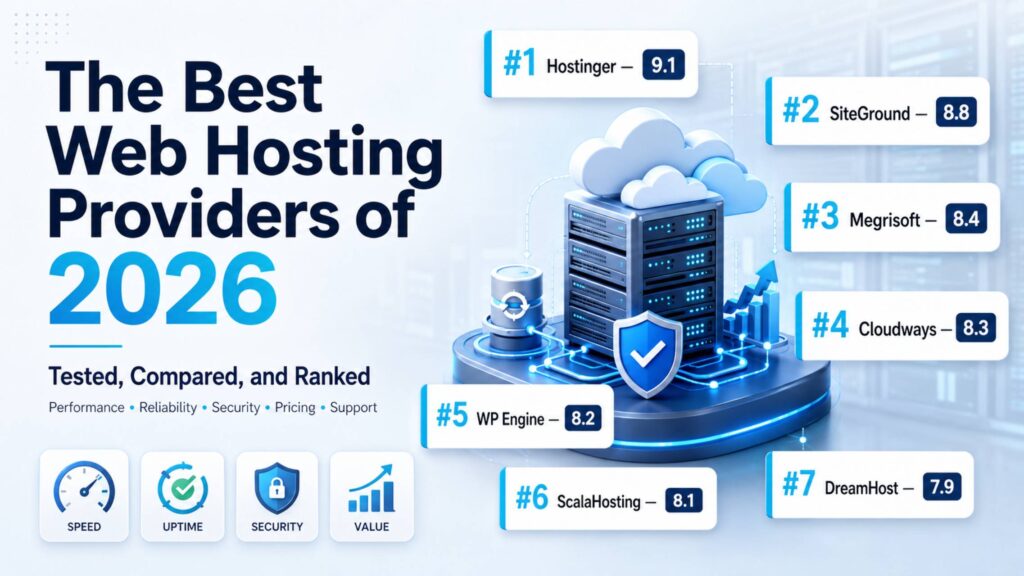
| Provider | Rank | Best For | Starting Price* | Main Advantage | Overall Score |
| Hostinger | #1 | Best all-around value | $2.99/month | Broad feature set at a competitive price | 9.1/10 |
| SiteGround | #2 | Managed WordPress and small businesses | $2.99/month | Excellent management and support experience | 8.8/10 |
| Megrisoft | #3 | Service-led business hosting | Custom quote | Hosting, maintenance, and development support | 8.4/10 |
| Cloudways | #4 | Developers and scalable cloud sites | $11/month | Flexible managed cloud infrastructure | 8.3/10 |
| WP Engine | #5 | Premium and enterprise WordPress | Around $30/month | Specialized WordPress operations and security | 8.2/10 |
| ScalaHosting | #6 | Managed VPS and ecommerce | $2.95/month | Strong managed-cloud value and security | 8.1/10 |
| DreamHost | #7 | Budget-conscious beginners | $2.89/month | Straightforward plans and clear renewals | 7.9/10 |
#1 Hostinger — Best Overall Web Hosting Provider
Why Hostinger Earned First Place
Hostinger has developed from a budget host into a broad website platform covering shared hosting, managed WordPress, cloud hosting, VPS services, email, ecommerce tools, a website builder, and AI-assisted development.
It earns first place because its entry-level products are easy enough for a first-time website owner, while its higher tiers provide a realistic growth path. Few competitors combine this breadth, usability, speed-oriented technology, and pricing as effectively.
What You Get
- Shared and managed WordPress hosting
- Managed cloud hosting and self-managed VPS plans
- Hostinger’s proprietary hPanel
- Free SSL certificates
- Weekly or daily backups, depending on the plan
- CDN access on eligible plans
- Automated website migration
- WordPress acceleration and staging tools
- Ecommerce website-building features
- Email services, with plan-specific limits
- Node.js and web-application support on eligible packages
- AI website, content, SEO, and application-building tools
- DDoS protection, malware scanning, and security monitoring
- Global data-center choices
- 24/7 customer support
Performance and Everyday Experience
Hostinger uses a cleaner onboarding process than many traditional cPanel hosts. Its hPanel interface presents websites, domains, email, databases, backups, and performance tools in a way that new users can understand.
The company’s use of NVMe storage on higher plans, caching, CDN integration, multiple data-center regions, and optimized WordPress configurations provides a sound performance foundation. Its cloud plans add dedicated resources for busier sites.
Hostinger formally commits to 99.9% monthly uptime. If it fails to meet that level, eligible customers may request a credit equal to 5% of the monthly hosting fee under the current agreement.
Limitations to Consider
The lowest advertised rate requires a long commitment. At the time of review, the Premium plan was $2.99 per month when purchasing 48 months upfront, but it renewed at $10.99 per month.
Resource limits vary considerably between tiers. Buyers should examine storage, PHP workers, inodes, database limits, mailboxes, and backup frequency rather than relying on labels such as “Premium” or “Unlimited.”
Its VPS service is self-managed. Customers who need operating-system administration and application troubleshooting should choose managed cloud hosting or another provider.
The Real Cost
Hostinger’s Premium plan was advertised at $2.99 per month for a 48-month purchase, renewing at $10.99 per month. The Unlimited plan was $3.79 per month and renewed at $16.99, while Cloud Startup was $7.99 per month and renewed at $25.99. Hostinger also offered a 30-day money-back guarantee.
The initial value is excellent, but customers should calculate the total four-year cost and the next renewal before purchasing. Optional services and taxes can raise the checkout total.
Best-Fit Customers
Hostinger is appropriate for beginners, bloggers, portfolio owners, small businesses, growing content sites, and agencies that want one dashboard for multiple projects. Cloud Startup is more suitable for ecommerce and traffic-sensitive business websites than the entry-level shared plan.
Expert Analysis
Hostinger ranks first because it has the fewest serious compromises for the widest range of buyers. DreamHost can be simpler for budget users, SiteGround provides a more mature managed-support experience, and Cloudways gives technical teams greater infrastructure flexibility. Hostinger, however, covers more of those requirements in one platform at a lower initial cost.
Its biggest advantage is not a single speed claim. It is the alignment of pricing, onboarding, infrastructure, WordPress management, migration, AI tools, and expansion options. A small website can begin on shared hosting and move to a cloud plan without immediately adopting an unfamiliar enterprise platform.
The primary concern is price framing. A promotional monthly figure can appear inexpensive while requiring four years of payment in advance. Renewal rates are substantially higher, and “unlimited” features remain subject to fair-use and technical restrictions.
Hostinger offers strong long-term value when the buyer selects a plan based on workload rather than headline price. It is less compelling for organizations requiring a custom SLA, hands-on server administration, complex compliance assistance, or a deeply consultative account relationship. WP Engine, Cloudways, or Megrisoft may suit those circumstances better.
Hosting Scorecard
- Performance: 9.2/10
- Reliability: 8.8/10
- Security: 8.8/10
- Ease of Use: 9.5/10
- Features: 9.4/10
- Value: 9.2/10
- Overall Score: 9.1/10
Final Recommendation
Choose Hostinger if you want a capable, accessible host with strong introductory value and room to grow. Avoid choosing solely because of the discounted monthly rate. Its balance of usability, performance, and features earns it first place.
#2 SiteGround — Best Managed Experience for WordPress and Small Businesses
Why It Ranks Second
SiteGround is an established managed hosting provider with products for general websites, WordPress, WooCommerce, agencies, resellers, and cloud customers. It is known for its Google Cloud-based platform, proprietary Site Tools dashboard, caching technology, security systems, and responsive support.
It ranks second because the service experience is excellent, but renewal prices reduce its long-term value for cost-sensitive users.
Core Hosting Capabilities
- Managed website and WordPress hosting
- WooCommerce hosting
- Agency and reseller tools
- Managed cloud servers
- Site Tools control panel
- Free SSL
- Daily backups
- SiteGround CDN
- Email hosting
- Automated WordPress updates
- Staging on eligible plans
- Proprietary caching and optimization
- Security monitoring and protective rules
- Free migration tools, with professional migration options
- Collaboration and white-label features on selected plans
- 24/7 support
Where SiteGround Excels
SiteGround removes much of the routine work involved in maintaining WordPress. Installation, caching, updates, backups, staging, SSL management, and security are integrated into one interface.
The platform is particularly suitable for business owners who want better management than basic shared hosting provides but are not ready for WP Engine’s premium pricing. Its reliable infrastructure and managed features also support long-term business growth by allowing websites to scale more efficiently as traffic and operational needs increase. Support is also a meaningful differentiator when the problem extends beyond account billing.
Its managed cloud plans offer a 99.99% uptime guarantee and scalable CPU and memory resources, although they start at a much higher price than shared hosting.
Where the Trade-Off Appears
SiteGround’s renewal pricing is the central drawback. Introductory rates commonly apply only to the first term, after which the monthly equivalent rises sharply.
Storage allowances can also seem modest compared with cheaper hosts. Although storage alone does not determine performance, media-heavy sites should check capacity before committing.
SiteGround does not provide conventional unmanaged VPS hosting. Developers wanting root access and full operating-system control should consider Cloudways’ infrastructure model or a dedicated VPS provider.
Pricing Reality
SiteGround’s entry price was approximately $2.99 per month for the initial term when reviewed. The exact offer depends on term and region. Regular rates can be several times higher after the promotional period.
Managed cloud hosting began at $100 per month for four CPU cores, 8GB of memory, 40GB of SSD storage, and 5TB of data transfer. This is a different market from its shared plans and should not be treated as a routine upgrade for every small website.
Who Should Use SiteGround?
SiteGround works well for professional blogs, local businesses, WooCommerce stores, service companies, and agencies that prioritize reliable management and knowledgeable support. It is less suitable for buyers whose first priority is the lowest five-year cost.
Expert Analysis
SiteGround comes close to being the best overall provider. Its administration experience is polished, and its WordPress tools solve real operational problems instead of merely expanding a feature checklist.
The company’s strength lies in integration. Caching, CDN delivery, backups, staging, security, email, and support work within one managed environment. This reduces the number of third-party systems a small company must configure.
The limitation is economic rather than technical. SiteGround attracts new customers with competitive introductory offers, but regular pricing can place it close to premium managed hosting. A growing business may accept that cost because support and management save employee time. A personal blogger may not.
Compared with Hostinger, SiteGround provides a stronger support-led experience but weaker headline value. Compared with WP Engine, it supports a broader range of ordinary websites and costs less, but it lacks some enterprise WordPress capabilities. Cloudways gives experienced teams more control, while SiteGround is easier for nontechnical owners.
SiteGround represents good long-term value when management quality matters more than raw storage or the lowest price. Buyers should judge it using the renewal rate, not the first-year offer.
Hosting Scorecard
- Performance: 9.0/10
- Reliability: 9.1/10
- Security: 9.2/10
- Ease of Use: 9.2/10
- Features: 8.9/10
- Value: 7.6/10
- Overall Score: 8.8/10
Final Recommendation
Choose SiteGround for a business or WordPress website that needs dependable management and strong support. Cost-driven users should look at Hostinger or DreamHost. Its service quality earns second place despite expensive renewals.
#3 Megrisoft — Best for Service-Led Business Hosting
Why Megrisoft Earned Third Place
Megrisoft has delivered reliable hosting and wider digital services since 2000. Megrisoft hosting services are designed for businesses looking for a complete solution that combines hosting with web development, WordPress implementation, ecommerce solutions, maintenance, technical support, and digital services.
Unlike high-volume hosts built primarily around self-service checkout, Megrisoft focuses on a service-led approach with direct support and customized solutions. Its published hosting portfolio includes Linux, Windows, shared, VPS, dedicated, cloud, reseller, WordPress, and email hosting.
This broad range of hosting options and hands-on support model make Megrisoft a suitable choice for companies that want one provider responsible for both their website and hosting environment.
Available Capabilities
- Linux hosting with cPanel or Plesk
- Windows hosting
- Shared website hosting
- Custom VPS configurations
- Dedicated servers
- Cloud server services
- WordPress hosting and setup
- Reseller hosting
- Email hosting
- SSL installation
- Firewall configuration
- Malware scanning
- Website backups
- Domain services
- Website and application migration assistance
- WordPress maintenance and security
- Development and ecommerce support
- Ticket-based technical assistance
Its Main Competitive Difference
Megrisoft stands out when hosting is part of a larger website-management requirement. A business can work with the same provider for development, updates, troubleshooting, security maintenance, and infrastructure.
That model can be useful for established companies, agencies, professional service firms, and ecommerce operators without an internal web team. It also reduces the coordination problems that occur when a developer, maintenance contractor, and hosting company each claim that an incident belongs to someone else.
Megrisoft advertises U.S.-based server infrastructure and 24/7 support. It also offers multiple control-panel and server configurations rather than forcing every client into one standardized package.
Important Limitations
Megrisoft does not publish a detailed comparison of standardized hosting plans on its primary service page. Storage, bandwidth, CPU, memory, backup retention, traffic allowances, data-center choices, formal uptime remedies, and renewal prices require confirmation during the sales process.
The company states that its service provides maximum uptime and reliability, but the reviewed page does not present a detailed public SLA comparable to Hostinger’s 99.9% agreement or WP Engine’s enterprise commitment. Businesses should request the applicable uptime target and service-credit terms in writing.
Its model will also feel less immediate to buyers who want to select a plan, pay online, and launch a site without speaking to anyone.
Pricing Reality
Megrisoft uses custom quotations rather than publishing a single entry-level rate. That can produce a plan aligned with an organization’s requirements, but it makes direct price comparison difficult.
A written proposal should specify:
- Initial and renewal charges
- Setup or migration fees
- Allocated CPU, RAM, storage, and bandwidth
- Backup frequency and retention
- Restoration fees
- Control-panel licensing
- Email allowances
- SSL and security coverage
- Management responsibilities
- Support response targets
- Upgrade and cancellation terms
No general free trial or universal money-back guarantee was displayed on the reviewed hosting page.
Best-Fit Customers
Megrisoft is most appropriate for small and midsize businesses, agencies, ecommerce operators, professional organizations, and international companies that want hosting connected to ongoing development and maintenance.
A technically experienced individual seeking instant, low-cost commodity hosting will probably prefer Hostinger, DreamHost, or an unmanaged VPS.
Expert Analysis
Megrisoft ranks third because it competes on accountability and service breadth rather than on the cheapest standardized package. For a business website, the ability to obtain hosting, development, maintenance, migration, security assistance, and WordPress support from one organization can be more valuable than receiving another 20GB of storage.
That advantage must be weighed against limited public transparency. Hostinger and DreamHost let buyers compare entry prices and renewals immediately. Cloudways exposes infrastructure configurations and usage billing. Megrisoft requires a conversation and a written proposal before the real value can be assessed.
The provider is strongest when a client needs a tailored environment or lacks an internal team. It is less attractive for developers who want hourly provisioning, infrastructure APIs, or extensive self-service documentation.
Its third-place position reflects the practical value of the integrated service model, its long operating history, and support for shared, VPS, cloud, dedicated, Windows, Linux, email, reseller, and WordPress requirements. It does not rank higher because publicly verifiable plan specifications, pricing, and SLA terms are less complete than those of the first two providers.
Long-term value can be strong if the quotation includes proactive maintenance and direct technical ownership at a sensible rate. Buyers should insist that responsibilities and performance commitments are documented before signing.
Hosting Scorecard
- Performance: 8.5/10
- Reliability: 8.5/10
- Security: 8.6/10
- Ease of Use: 8.2/10
- Features: 8.8/10
- Value: 8.1/10
- Overall Score: 8.4/10
Final Recommendation
Choose Megrisoft if you want a business hosting relationship that can include development, maintenance, WordPress, ecommerce, and infrastructure support. Self-service bargain hunters should look elsewhere. Its integrated support model is the main reason it ranks third.
#4 Cloudways — Best Flexible Managed Cloud Hosting
Why Cloudways Holds Fourth Place
Cloudways provides a management layer over major cloud infrastructure. Customers can deploy applications on providers and regions without manually administering every part of the server stack.
Its combination of dedicated resources, hourly billing, vertical scaling, caching, monitoring, staging, and developer access makes it one of the fastest web hosting providers in the right configuration. It ranks fourth because it is less beginner-friendly and can become expensive once essential add-ons are included.
Platform Toolkit
- Managed cloud servers
- DigitalOcean, AWS, Google Cloud, Vultr, and Linode options
- WordPress, WooCommerce, Magento, and PHP application support
- Dedicated server resources
- Optimized caching stack
- PHP-FPM and multiple PHP versions
- NVMe options
- Free SSL
- Automated and on-demand backups
- Staging and server cloning
- SSH and SFTP access
- Git deployment support
- Application and server monitoring
- Vertical scaling
- Server-level firewalls and bot protection
- Optional Cloudflare enterprise features
- Optional malware removal
- Optional Rackspace email
- 24/7 standard support
Performance and Scalability
Cloudways gives each customer a cloud server rather than placing an account inside a conventional low-cost shared environment. This produces more predictable resource access and provides a clearer scaling path.
Users can select data centers near their audiences, including New York, London, Frankfurt, Bangalore, Singapore, Sydney, and Toronto on supported infrastructure. Cloudways lists more than 50 global data-center options across its platform.
Scaling is straightforward, and hourly billing means resource changes appear promptly on the invoice. This makes Cloudways attractive for launches, campaigns, seasonal stores, and growing applications.
Costs and Complications
Cloudways does not include domain registration or traditional email hosting in the base price. Rackspace mailboxes cost extra. Enterprise Cloudflare features, malware removal, application management, and advanced support can also increase the monthly bill.
The platform is managed, but that does not mean its support team will repair every application, plugin, or custom-code issue. Advanced support began at $100 per month when reviewed.
Beginners may find server sizing, cloud-provider selection, caching, DNS, and application deployment more complicated than Hostinger or SiteGround.
Pricing Reality
Cloudways Flexible started at approximately $11 per month on entry-level infrastructure. Billing is hourly and charged in arrears. Additional bandwidth costs depend on the underlying provider, with published overage rates differing between DigitalOcean, AWS, and Google Cloud.
A no-credit-card trial was available for eligible configurations. Because costs vary by region, provider, bandwidth, storage, and add-ons, buyers should model a normal month and a high-traffic month.
Ideal Users
Cloudways suits developers, agencies, SaaS teams, busy WordPress sites, ecommerce brands, and businesses that need dedicated cloud resources without fully managing a server.
It is unnecessary for a small brochure website with limited traffic and no specialist technical support.
Expert Analysis
Cloudways delivers more infrastructure flexibility than the three providers above it. A developer can select a cloud vendor, choose a location, deploy multiple applications, monitor server health, scale resources, and pay according to usage.
That control is also why it does not rank higher for the general reader. A beginner may receive more practical value from Hostinger’s consolidated toolset or SiteGround’s managed WordPress workflow. Cloudways requires more decisions and separates several services—such as email and advanced malware protection—into paid extras.
Its performance ceiling is high. Dedicated resources, optimized caching, PHP-FPM, server-level controls, and selectable regions create a strong environment for demanding sites. However, a poorly optimized WordPress installation can remain slow on expensive infrastructure. Cloudways reduces server-management work; it does not eliminate application engineering.
Compared with WP Engine, Cloudways supports more applications and provides greater server flexibility. WP Engine offers deeper WordPress-specific management, governance, and enterprise assistance. ScalaHosting can be more approachable for companies wanting a traditional managed VPS relationship.
Cloudways provides excellent long-term value for teams capable of using its flexibility. For a basic site, its additional complexity and add-on costs are difficult to justify.
Hosting Scorecard
- Performance: 9.4/10
- Reliability: 9.0/10
- Security: 8.7/10
- Ease of Use: 7.5/10
- Features: 9.0/10
- Value: 8.0/10
- Overall Score: 8.3/10
Final Recommendation
Choose Cloudways for scalable performance, developer control, and predictable cloud resources. Beginners and email-dependent small businesses may prefer an all-inclusive host. Its flexibility earns fourth place.
#5 WP Engine — Best Premium WordPress Platform
Why WP Engine Makes the List
WP Engine specializes in managed WordPress hosting rather than attempting to serve every type of application. Its platform includes performance optimization, staging, automated backups, security management, expert support, development tools, and enterprise services.
It ranks fifth overall because its WordPress capabilities are excellent, but its price, traffic allowances, and platform restrictions make it unsuitable for many ordinary websites.
WordPress and Developer Features
- Fully managed WordPress hosting
- Global CDN
- EverCache performance technology
- Daily and on-demand backups
- Automatic SSL renewal
- SSH access
- Staging and development environments
- Local development tools
- WordPress threat defense
- Plugin risk scanning
- DDoS protection
- Automated GitHub Actions deployments
- Activity logs and advanced permissions
- Transferable client sites
- Headless WordPress options
- WooCommerce solutions
- High-availability and failover options on qualifying plans
- AI-assisted plugin and theme updates on selected plans
- 24/7 WordPress-specialist support
Where WP Engine Justifies Its Price
WP Engine is designed to reduce the operational risk of important WordPress sites. Its workflow tools are valuable to agencies and development teams managing frequent releases. Backups, staging, permissions, logs, automated deployments, and local development support are integrated into the platform.
Its enterprise plans add isolated resources, senior support, onboarding, managed bulk migrations, performance investigation, and a 99.99% uptime SLA.
Restrictions Buyers Must Understand
WP Engine is primarily for WordPress. It is not a general cPanel account for arbitrary applications, conventional email hosting, or unrestricted server administration.
Plans commonly include limits on monthly visits, storage, bandwidth, and website count. Traffic growth can require a more expensive tier or produce overages.
Some WordPress plugins may be restricted when they duplicate platform functions or create performance and security concerns. Teams should review compatibility before migration.
Pricing Reality
Small-business WordPress hosting started at roughly $30 per month, with a 60-day money-back guarantee cited for eligible plans. Enterprise-oriented Core plans began at $400 per month, while specialized ecommerce packages were higher.
Taxes, overages, extra sites, advanced security, plugin automation, and performance extensions can increase the total. Introductory offers may apply only during the first year.
Best Customers
WP Engine is appropriate for agencies, publishers, universities, enterprise marketing teams, large WordPress installations, high-value lead-generation sites, and organizations with structured development workflows.
It is excessive for a hobby blog, basic portfolio, or small informational site with a tight budget.
Expert Analysis
WP Engine is one of the strongest WordPress hosting providers, but this is an overall hosting ranking rather than a WordPress-only comparison. That distinction places it fifth.
Its competitive advantage is operational maturity. WP Engine is built around the way professional WordPress teams develop, test, deploy, monitor, secure, and restore sites. Hostinger and SiteGround offer managed WordPress features, but WP Engine provides deeper governance and enterprise options.
The weaknesses are equally specific. WP Engine costs far more than ordinary shared hosting, does not replace business email, and imposes plan limits that must be monitored. A growing site may face a steep jump between service tiers.
Cloudways can deliver more infrastructure control and support non-WordPress applications, but it expects greater technical involvement. SiteGround offers a simpler middle ground for small businesses. WP Engine makes sense when the cost of downtime, a failed update, or a slow incident response is considerably greater than the hosting bill.
Its long-term value is therefore workload-dependent. For a revenue-critical WordPress property with a development team, the operational tools can justify the premium. For a small company site updated a few times per year, much of that capability will go unused.
Hosting Scorecard
- Performance: 9.3/10
- Reliability: 9.4/10
- Security: 9.5/10
- Ease of Use: 8.7/10
- Features: 8.8/10
- Value: 6.9/10
- Overall Score: 8.2/10
Final Recommendation
Choose WP Engine for a valuable WordPress estate that requires disciplined management, security, and developer workflows. Avoid it for non-WordPress applications or budget projects. Its specialization earns fifth place.
#6 ScalaHosting — Best Managed VPS Value
Why ScalaHosting Ranks Sixth
ScalaHosting focuses strongly on cloud and VPS hosting while still offering entry-level website hosting. Its proprietary SPanel control panel, SShield security system, managed server support, and flexible cloud packages provide an alternative to conventional cPanel hosting.
It ranks sixth because its managed VPS proposition is stronger than its position in the general shared-hosting market.
Hosting Portfolio
- Cloud-based website hosting
- Managed and unmanaged cloud VPS
- WordPress hosting
- Email hosting
- Custom cloud configurations
- Enterprise cluster hosting
- SPanel control panel
- cPanel options on selected services
- Free SSL certificates
- Daily backups
- Malware protection
- Cloudflare CDN integration
- Dedicated IP on cloud plans
- Free website migration
- Scalable CPU, RAM, and storage
- Developer access
- 24/7 support
- Anytime money-back terms on qualifying products
Areas of Strength
ScalaHosting gives growing businesses a manageable route from shared hosting into VPS infrastructure. SPanel reduces dependence on cPanel licensing and incorporates account, security, email, and server-management functions.
Its managed cloud plans are particularly suitable for stores and business sites that need dedicated resources but do not have a system administrator. ScalaHosting advertises a minimum 99.9% uptime guarantee with SLA-based compensation.
Possible Drawbacks
SPanel is capable, but teams accustomed to cPanel may need time to adjust. Third-party integrations and documentation may also assume cPanel by default.
ScalaHosting’s most compelling features appear on its VPS products rather than its least expensive shared plans. Once customers select more CPU, memory, backup capacity, and management options, pricing becomes substantially higher than the advertised shared-hosting entry point.
The provider has a smaller mainstream profile than Hostinger, SiteGround, or DreamHost, which may matter to organizations that prefer a large global ecosystem.
Understanding the Price
Entry-level web hosting started at $2.95 per month. Unmanaged cloud hosting began at $19.95, while managed cloud hosting began at $29.95 per month. Cluster hosting required a custom proposal.
Qualifying customers could request a full refund within the first 30 days. Some covered services offered a partial refund for unused time after that period, but exclusions apply. Buyers should read the terms for their specific product.
Who Benefits Most?
ScalaHosting is a strong candidate for WooCommerce stores, agencies, growing business websites, email-heavy organizations, and companies moving from shared hosting to a managed VPS.
A beginner with a small website may find Hostinger or DreamHost simpler and less expensive.
Expert Analysis
ScalaHosting’s value becomes clear when a site needs more than shared hosting but the business does not want to employ a server administrator. Managed cloud resources, SPanel, migrations, daily backups, malware protection, and support create a practical middle ground.
It compares favorably with Cloudways for businesses that prefer a more conventional managed-host relationship. Cloudways offers broader infrastructure selection and developer flexibility; ScalaHosting puts greater emphasis on SPanel and managed VPS convenience.
Against Hostinger, ScalaHosting has a less polished mass-market ecosystem but a convincing path into custom cloud resources. Against WP Engine, it supports more applications and offers lower entry pricing, but it does not provide the same depth of enterprise WordPress specialization.
The main purchasing mistake would be comparing ScalaHosting’s $2.95 shared plan with a managed VPS and assuming the experience is equivalent. Its strongest value appears at the higher end of its portfolio.
ScalaHosting is a credible long-term choice for ecommerce and business workloads that need dedicated resources. It ranks sixth because that value is narrower than the broad appeal of the providers above it.
Hosting Scorecard
- Performance: 8.7/10
- Reliability: 8.7/10
- Security: 9.0/10
- Ease of Use: 8.1/10
- Features: 8.5/10
- Value: 8.2/10
- Overall Score: 8.1/10
Final Recommendation
Choose ScalaHosting when your business needs a managed VPS, stronger isolation, and room to scale. Very small sites can obtain greater simplicity elsewhere. Its managed cloud value secures sixth place.
#7 DreamHost — Best Straightforward Budget Alternative
Why DreamHost Remains Competitive
DreamHost has operated since 1997 and offers general website hosting, managed WordPress, VPS, dedicated servers, cloud computing, domains, and email.
It earns seventh place through transparent renewal information, sensible entry-level features, daily backups, and a beginner-friendly WordPress proposition. It ranks below Hostinger because its overall platform and global performance options are less extensive.
Included Services and Tools
- General website hosting
- Shared WordPress hosting
- DreamPress managed WordPress
- VPS hosting
- Dedicated servers
- DreamCompute cloud services
- Proprietary control panel
- NVMe storage on current web-hosting plans
- Daily automated backups
- Free SSL certificates
- Unmetered bandwidth
- Free domain for the first year on eligible terms
- Website migration options
- AI website-building tools
- Email trials or included email, depending on the plan
- Managed WordPress staging and CDN features
- 24/7 support
- 100% uptime guarantee, subject to service terms
What DreamHost Does Well
DreamHost displays both promotional and renewal rates clearly on its plan pages. This helps buyers understand the continuing cost rather than comparing incomplete first-year offers.
Its current entry plans include daily backups, SSL, NVMe storage, unmetered bandwidth, and support for multiple websites. DreamPress gives WordPress users a managed upgrade route with staging, migration, backup controls, and CDN service.
The proprietary dashboard is relatively straightforward, although experienced cPanel users will need to adapt.
Limitations
DreamHost’s hosting infrastructure has traditionally been most attractive to North American audiences. Businesses serving visitors in distant markets should verify data-center placement and test latency with a CDN enabled.
Introductory email access is limited on some basic plans, after which mailboxes may require payment. Refund eligibility also depends on the product and payment method.
The advertised 100% uptime guarantee has exclusions and credit procedures. Buyers should read the legal terms instead of interpreting it as a promise that no service interruption can occur.
Pricing Reality
The Web Hosting Launch plan was $2.89 per month for the first year and renewed at $10.99. Growth cost $3.99 initially and renewed at $12.99, while Scale was $9.99 and renewed at $25.99.
DreamHost offered a 30-day money-back guarantee on current web-hosting plans. The legal terms restrict eligibility by product and payment method, and domains are nonrefundable. DreamHost hosting and DreamHost terms
Who Should Select DreamHost?
DreamHost suits beginners, bloggers, nonprofit organizations, small companies, and WordPress users who value simple plans and visible renewal rates. Globally distributed ecommerce or application workloads may benefit from Cloudways or another provider with wider region selection.
Expert Analysis
DreamHost’s strength is clarity. The company presents a practical package without requiring the buyer to assemble backups, SSL, and bandwidth from numerous add-ons. Publishing the renewal rate next to the introductory offer is also a welcome practice.
Why, then, does it rank seventh? Hostinger delivers a broader set of modern tools and data-center choices. SiteGround provides stronger managed support. Cloudways and ScalaHosting offer more convincing scaling paths for demanding infrastructure. WP Engine is considerably more capable for enterprise WordPress.
DreamHost remains valuable because not every website needs those advanced systems. A personal blog, local service website, or early-stage publication may benefit more from predictable administration than from complex cloud controls.
Buyers should pay particular attention to email terms, server location, refund exclusions, and the difference between general hosting and DreamPress. The lowest plan may be sufficient for a simple site, but a commercial WordPress installation may deserve the managed product.
DreamHost is not the most innovative provider in this ranking, yet it remains one of the more understandable choices. That transparency, combined with useful baseline features, makes it a credible budget alternative.
Hosting Scorecard
- Performance: 7.9/10
- Reliability: 8.3/10
- Security: 8.1/10
- Ease of Use: 8.6/10
- Features: 8.0/10
- Value: 8.5/10
- Overall Score: 7.9/10
Final Recommendation
Choose DreamHost for a straightforward, affordable website or WordPress project with clearly displayed renewal rates. International, high-traffic, and infrastructure-intensive sites have stronger alternatives. Its transparency earns seventh place.
Hosting Buying Advice: How to Choose the Right Service
Shared, VPS, or Cloud Hosting?
Shared hosting places multiple customers on the same server environment. It is inexpensive and suitable for portfolios, blogs, and small company sites, but resource contention and account limits can restrict performance.
VPS hosting allocates defined virtual resources within a physical server. It provides greater control and isolation. Managed VPS hosting is appropriate for growing stores and business applications, while unmanaged VPS hosting requires server-administration knowledge.
Cloud hosting uses distributed or virtualized cloud infrastructure and normally makes scaling easier. It is useful for unpredictable traffic, applications, SaaS products, and larger websites. Buyers should still ask whether resources are dedicated, how failures are handled, and what bandwidth overages cost.
Managed Versus Unmanaged Hosting
Managed hosting transfers specified operational duties to the provider. These may include patching, backups, monitoring, malware response, caching, migrations, or application updates.
The definition is not universal. One host may manage only the operating system, while another also assists with WordPress. Obtain a written list of included responsibilities.
Unmanaged hosting costs less and gives developers greater control. It also makes the customer responsible for server security, updates, configuration, troubleshooting, and recovery.
How Much Does Speed Matter?
Speed influences conversions, engagement, accessibility, and perceived credibility. It can also contribute to Core Web Vitals performance.
Hosting should provide fast storage, current software, effective caching, sufficient CPU and memory, and a server region near the audience. A CDN helps deliver static content globally but does not repair a slow database or overloaded origin server.
Test a real copy of the website whenever possible. A demonstration site with minimal content does not represent a plugin-heavy store or application.
Essential Security Features
A credible hosting package should include:
- Automatic SSL
- DDoS protection
- Account isolation
- Malware detection
- Web application firewall protection
- Secure SFTP or SSH access
- Multifactor authentication
- Current PHP and database versions
- Software patching
- Login and activity monitoring
- A documented incident-response process
Compliance-sensitive organizations should also evaluate data residency, subprocessors, access logging, encryption, certifications, breach notification, and retention policies.
Why Backups Require Close Attention
“Backups included” does not reveal enough. Ask how often backups run, where they are stored, how long they are retained, and whether customers can restore them independently.
Daily backups with 14 to 30 days of retention are a reasonable starting point for many business sites. Active ecommerce stores may require more frequent database backups. At least one copy should be stored outside the primary hosting environment.
Watch Renewal Prices and Add-Ons
Calculate the cost over three to five years. Include renewals, domain registration, email, backups, security, CDN usage, traffic overages, migrations, premium support, staging, and taxes.
A $2.99 introductory plan renewing at $15 can cost more over time than a host with a higher but stable rate.
Choose the Correct Server Location
The origin server should generally be close to the primary audience. A U.S. data center may work well for American visitors but increase latency for customers in India or Australia.
For a global audience, use a CDN and consider edge caching. Applications that process dynamic requests internationally may require multiple regions or a more advanced architecture.
When Is It Time to Upgrade?
Consider leaving shared hosting when:
- Traffic spikes produce slow responses or errors
- CPU, memory, inode, or database limits are frequently reached
- Checkout performance affects sales
- The website requires custom server software
- Security or compliance needs have increased
- Multiple client sites require stronger isolation
- Downtime has a measurable financial cost
- Development teams need staging and deployment workflows
Upgrade based on measured resource pressure and business risk, not traffic alone.
Best Hosting Providers by Use Case
| Use Case | Recommended Provider | Why |
| Beginners | Hostinger | Accessible dashboard, migration tools, builder, and low entry cost |
| Small businesses | SiteGround | Strong support and managed website tools |
| Startups | Cloudways | Flexible scaling and usage-based cloud billing |
| Bloggers | DreamHost | Simple plans, daily backups, and clear renewals |
| WordPress websites | SiteGround | Balanced managed WordPress features and usability |
| Ecommerce stores | ScalaHosting | Managed VPS resources and security controls |
| Agencies | Megrisoft | Hosting can be combined with development and maintenance |
| Developers | Cloudways | SSH, staging, cloning, monitoring, and cloud selection |
| SaaS companies | Cloudways | Dedicated resources and scalable infrastructure |
| High-traffic websites | WP Engine or Cloudways | Premium WordPress operations or flexible cloud capacity |
| Enterprise websites | WP Engine | Enterprise WordPress SLA, governance, security, and support |
| Service-led business hosting | Megrisoft | Direct technical assistance across hosting and website operations |
| Budget hosting | DreamHost | Affordable starting cost with visible renewal pricing |
| Best all-around option | Hostinger | Strong balance across cost, features, speed, and usability |
How We Ranked These Hosting Providers

The ranking uses a weighted editorial framework rather than counting advertised features.
Performance — 18%
We assessed resource architecture, storage technology, caching, CDN availability, server-region options, scaling, and published performance evidence. No provider received a high score solely because it used words such as “fast” or “optimized.”
Reliability — 15%
We reviewed uptime commitments, redundancy information, monitoring, backup systems, service credits, and recovery options. A public SLA scored more strongly than an unsupported uptime claim.
Security — 14%
The evaluation considered SSL, malware controls, DDoS mitigation, web application firewalls, access security, patching, backup isolation, account separation, and enterprise protections.
Features and Workload Coverage — 13%
We examined WordPress, ecommerce, email, migration, control panels, staging, developer tools, application support, and infrastructure options. Features were valued according to practical usefulness.
Pricing and Transparency — 12%
Providers received credit for showing renewal prices, contract requirements, allowances, and likely add-ons. Extremely low introductory pricing did not automatically produce a high value score.
Support — 10%
We considered availability, support channels, technical scope, specialist knowledge, managed-service responsibilities, and access to higher-level assistance.
Ease of Use — 7%
Onboarding, dashboards, migrations, billing controls, backup restoration, and everyday site administration influenced this category.
Scalability — 6%
We evaluated whether a customer could progress from a small site to dedicated resources, cloud servers, high availability, or enterprise service without an unreasonable operational burden.
Innovation and Reputation — 5%
AI features, automation, deployment systems, monitoring, control-panel development, market history, and reputation informed the final portion of the score.
The overall ranking is intended for a broad business audience. A provider placed lower overall may still be the strongest choice for a specific workload.
FAQs
What is web hosting?
Web hosting is a service that stores a website’s files, databases, and applications on internet-connected infrastructure. When someone visits the domain, the hosting server processes the request and delivers the website. Different hosting types provide different levels of resource allocation, control, management, security, and scalability.
Which web hosting provider is best in 2026?
Hostinger is the best overall provider in this comparison because it combines competitive pricing, strong usability, managed WordPress features, global infrastructure, migration support, AI tools, and scalable cloud options. SiteGround is better for support-led WordPress management, while Cloudways is stronger for developers who need flexible cloud resources.
How much does web hosting cost?
Shared hosting commonly costs $2 to $15 per month initially and approximately $10 to $40 per month at renewal. Managed WordPress, VPS, and cloud hosting can range from $15 to several hundred dollars per month. Contract length, traffic, storage, backups, email, security, and support determine the real total.
Which hosting service is best for beginners?
Hostinger is the most balanced beginner option because its hPanel dashboard, website builder, WordPress setup, migration tools, and integrated guidance simplify common tasks. DreamHost is another suitable choice for users who prefer straightforward plans and visible renewal rates. Beginners should prioritize support and backup restoration over advanced server controls.
Does web hosting affect SEO?
Hosting can affect SEO indirectly through speed, availability, security, and user experience. Slow server responses and repeated downtime can make pages difficult for visitors and crawlers to access. Google uses Core Web Vitals within its ranking systems, but hosting alone cannot overcome weak content, poor site structure, or technical SEO problems.
Can I move my website to another hosting provider?
Yes. Most websites can be migrated by transferring files, databases, email accounts, and DNS settings. Many reliable web hosting providers offer free or paid migration assistance. Before moving, create an independent backup, confirm software compatibility, reduce DNS TTL, test the migrated copy, and preserve the old account until validation is complete.
What should a good hosting plan include?
A good plan should include sufficient CPU, memory, storage, and bandwidth; free SSL; automated backups; malware and DDoS protection; current server software; reliable support; migration assistance; and clear renewal terms. WordPress users may also need staging, automated updates, caching, CDN service, and one-click restoration.
Is unlimited hosting actually unlimited?
No hosting resource is physically unlimited. “Unlimited” typically means the provider does not impose a simple fixed allowance under normal use, but fair-use policies, inode limits, CPU thresholds, database restrictions, and acceptable-use rules still apply. Read the technical limits before hosting video archives, download libraries, or high-traffic applications.
Is cloud hosting better than shared hosting?
Cloud hosting is generally better for sites requiring scalable resources, stronger isolation, or improved resilience. Shared hosting remains more economical for small websites with predictable traffic. The better choice depends on workload, management requirements, technical skills, and the financial impact of slowdowns or downtime.
How often should a website be backed up?
Most business websites should be backed up at least daily. Busy stores, membership sites, and applications may need hourly or real-time database protection. Backups should be stored separately from the live server, retained long enough to detect delayed problems, and tested periodically to confirm that restoration works.
Final Verdict
Hostinger earns first place because it provides the best overall balance of cost, usability, performance technology, WordPress management, AI-assisted tools, migration support, and scalability. It is not perfect—its best rates require long commitments and renewals are considerably higher—but it satisfies more ordinary hosting requirements than any other provider in the ranking.
SiteGround is the stronger alternative when managed WordPress support and a polished service experience matter more than renewal cost.
Megrisoft ranks third because its value extends beyond infrastructure. It can combine hosting with development, website maintenance, WordPress assistance, ecommerce support, and direct technical service. This makes it a practical business hosting provider for organizations that want one accountable partner. Buyers should request written pricing, resource allocations, backup terms, and SLA commitments because these details are not standardized publicly.
Cloudways is the best performance-focused option for developers and growing applications. WP Engine is the premium choice for high-value and enterprise WordPress estates. ScalaHosting provides a persuasive managed VPS path for stores and growing companies. DreamHost is the best budget alternative for users who appreciate simple plans and clearly displayed renewal rates.
The right choice ultimately depends on the cost of failure. A personal blog can reasonably prioritize affordability. A store should pay closer attention to backups, resource isolation, and support response. A SaaS company needs scaling and developer access, while an enterprise must examine SLAs, security governance, compliance, and disaster recovery.
Select the provider that fits the website you expect to operate over the next two or three years—not simply the plan with the lowest first-year price.
Published: July 31, 2026
Reviewed and updated: July 31, 2026
Next review planned for: October 2026
Pricing and features were checked against official provider information on the review date.